Installation
INSTALLATION OF
QUICKCONTO SOFTWARE
To correctly install the QUICKCONTO software or an update, proceed as follows:
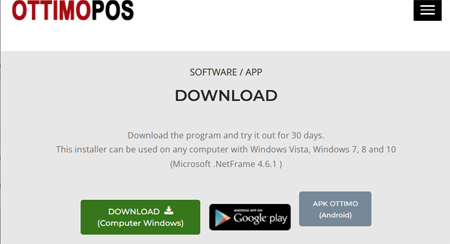
1. Download the software from the website https://www.QUICKCONTO.com
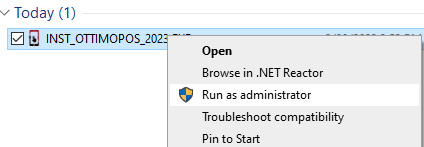
2. Access the download folder, click on the installation file with the RIGHT CLICK of the mouse and then select: "RUN AS ADMINISTRATOR", starting as administrator prevents any incompatibilities or limitations determined by the operating system.
3. Confirm and proceed with the automatic installation (selection of the language, acceptance of the user license agreement, etc.).
Updates are always compatible with the archives present on the computer.
ADVISE:
In order to reduce IT risks and ensure business continuity it is necessary:
- make a daily backup copy on devices external to the computer (USB DRIVE, network locations, NAS or similar);
- verify that at least one backup copy is made on a device disconnected from the computer and that it is kept in a protected environment.
To perform the backup you can use QUICKCONTO (BACKUP button) or other software. QUICKCONTO archives are located in the "C:\QUICKMASTRO.POS" folder, back up the entire folder and subfolders.