License Activation / Deactivation
LICENSE ACTIVATION
When starting the program, QUICKCONTO verifies the validity of the license.
If no license has been activated yet, the software activation screen will be displayed.
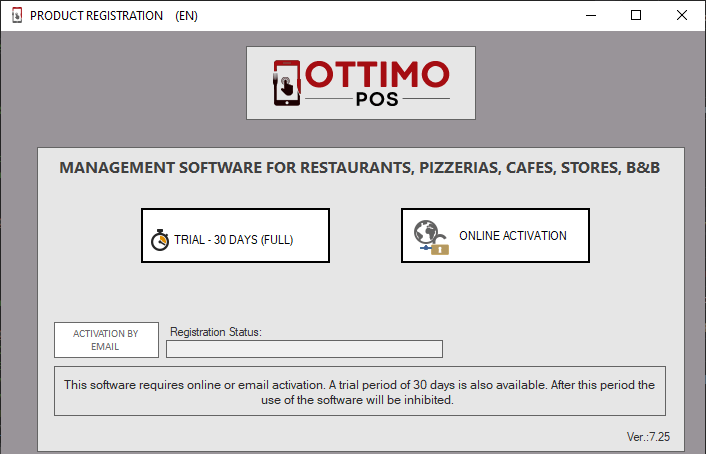
The "TRIAL ..." button activates with a 30-day time key to try the FULL version.
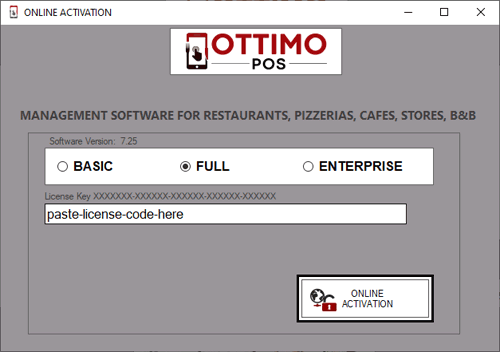
The "ONLINE ACTIVATION" button allows you to enter the serial code purchased and received via email.
To proceed with activation using the serial code, select one of the license ("BASIC", "FULL", "ENTERPRISE" ) and enter/paste the serial code.
DEACTIVATE LICENSE
License deactivation is used for the following reasons:
- deactivate the trial license and activate the purchase license
- deactivate the purchased license to transfer it to a new computer
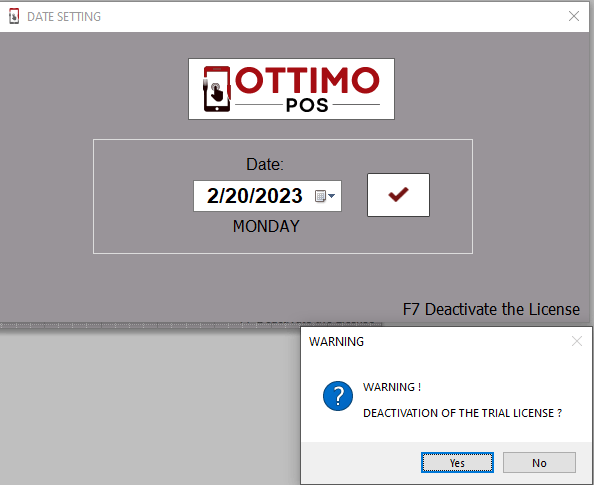
To deactivate, press the "F7" button from the access date selection window and confirm the deactivation.
After deactivation, at the next restart the program will display the software activation request.